Stay organized,
on time, and
on budget.

Asapi is a powerful yet lightweight project planning tool for Windows. Structure any work as a tree of tasks — from a simple to-do list to a full multi-phase project plan.

Get Asapi See Features
Windows 10 & 11 Offline & Private No Subscription
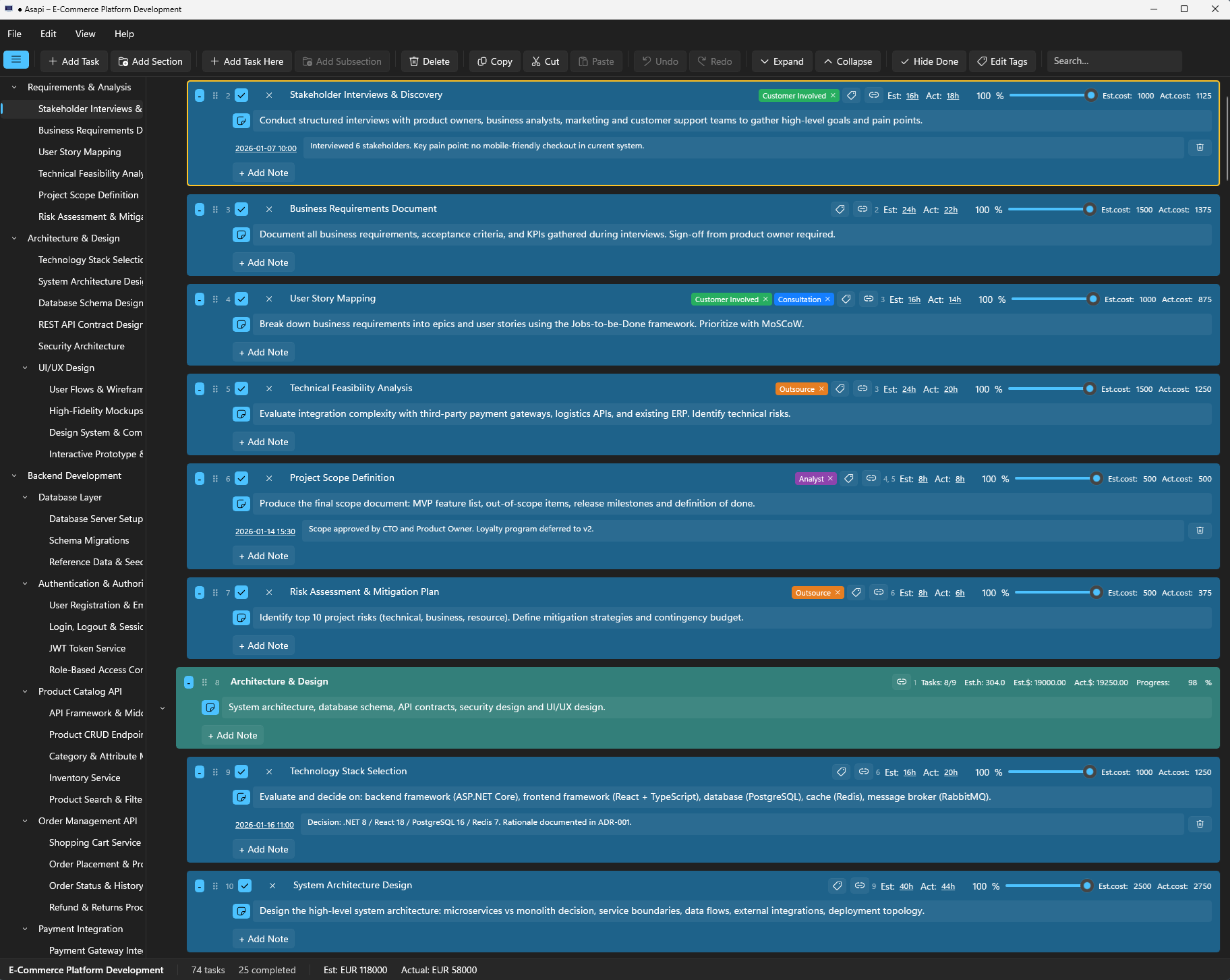
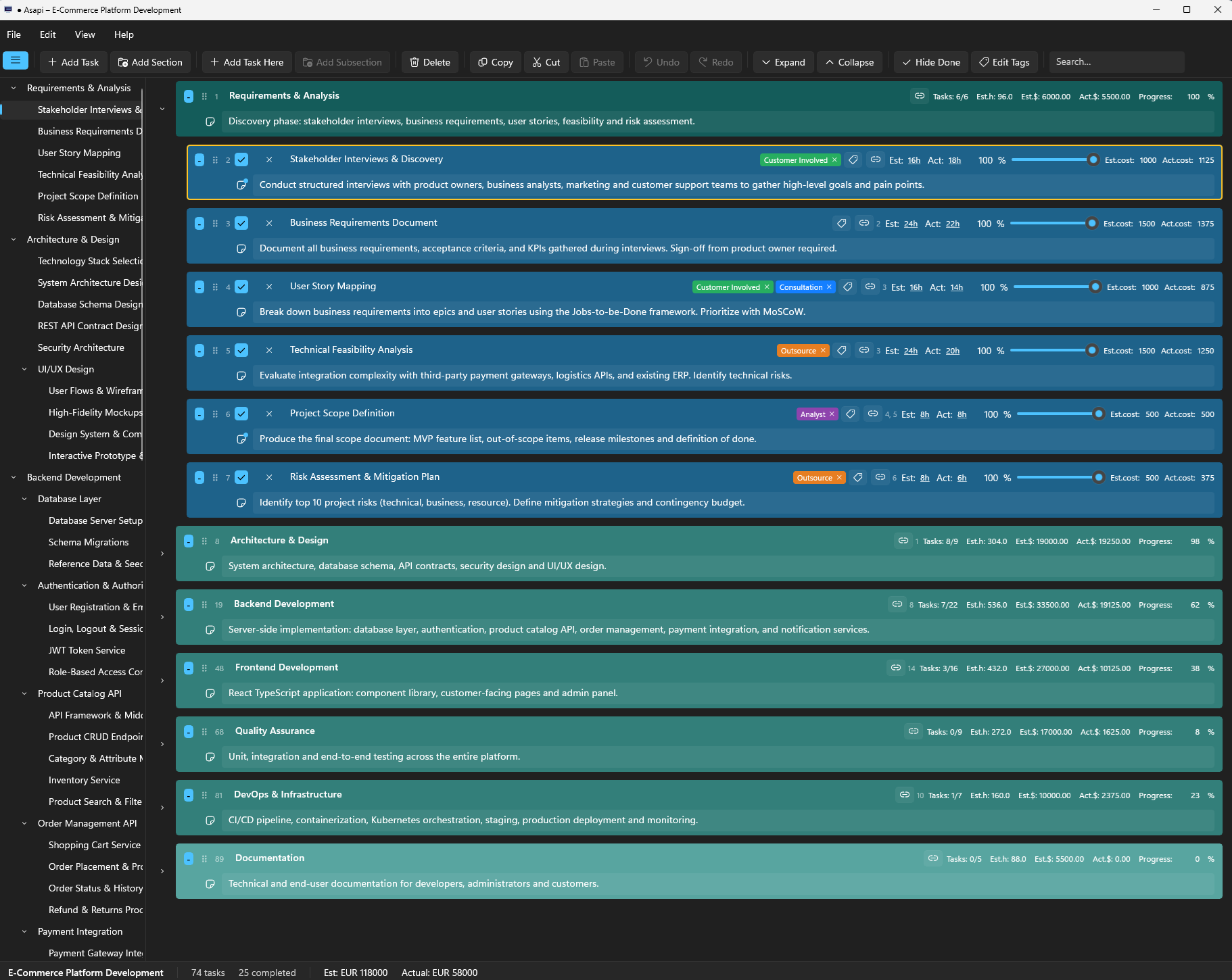
Asapi project view with expanded task tree
Unlimited task hierarchy depth
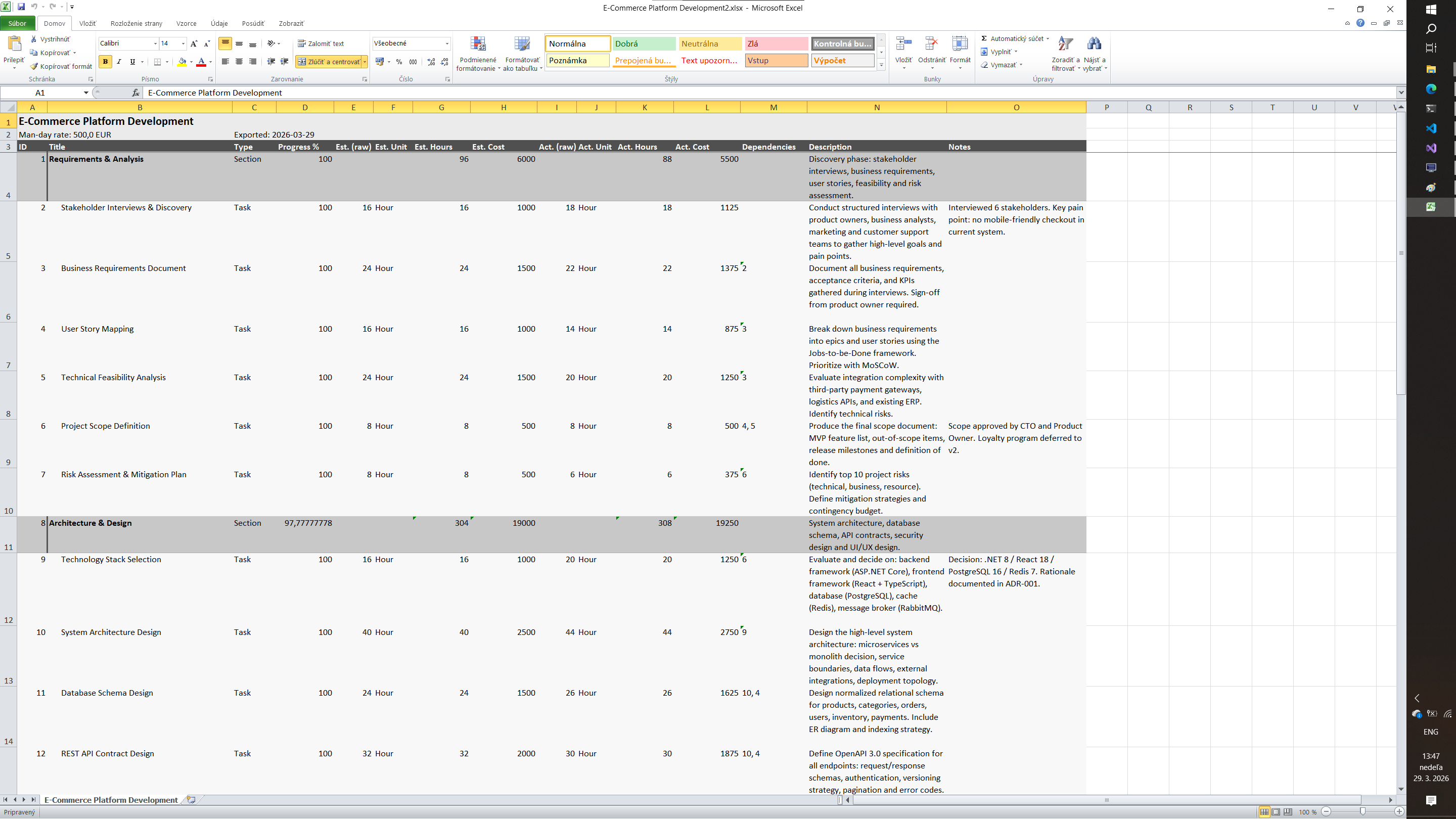
Excel one-click export
100% Offline no cloud, no account
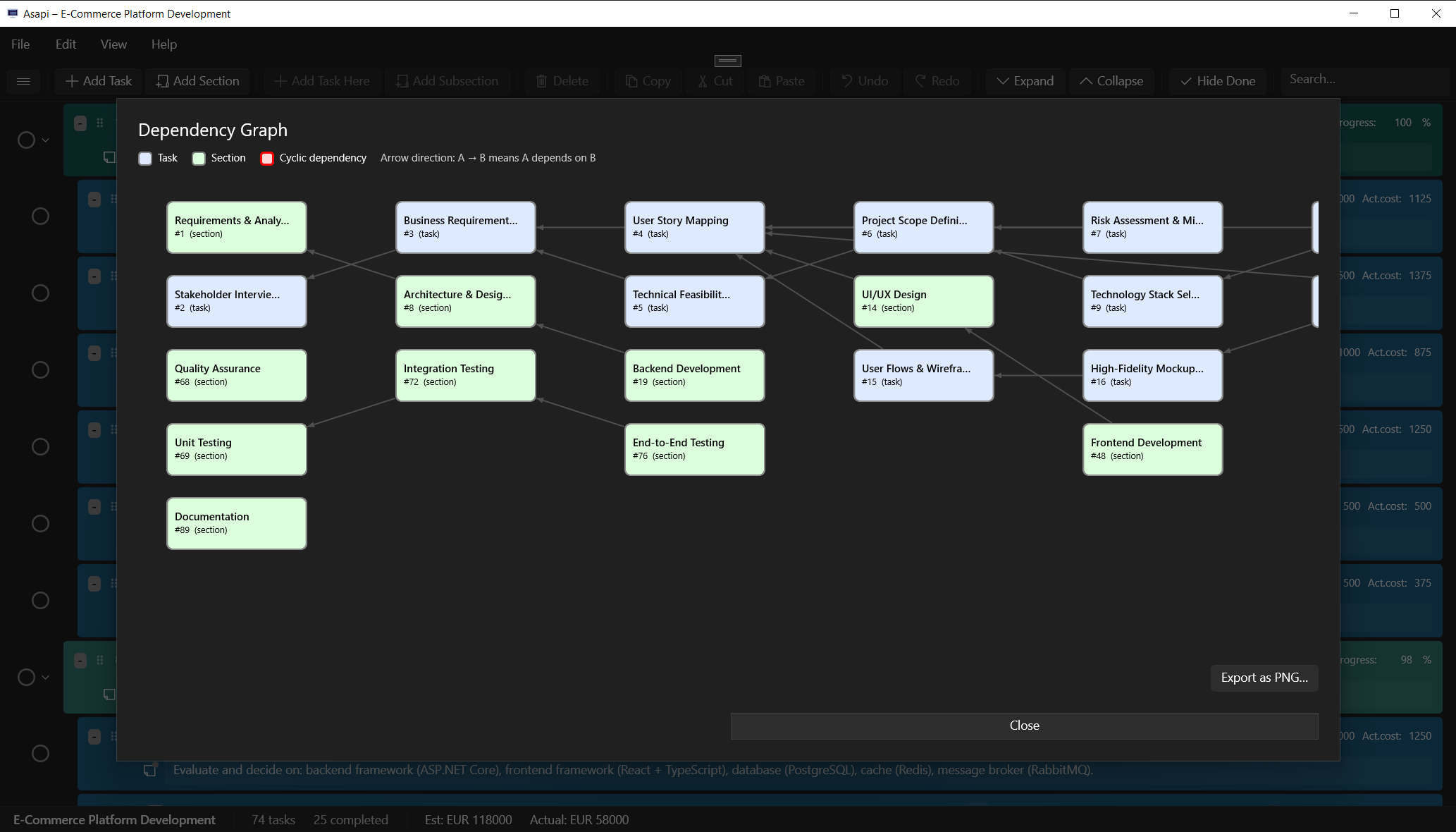
Visual dependency graph

Everything you need to plan and track

All the tools for serious project management, without the complexity or the cloud.

Flexible Hierarchy

Organize work into sections and tasks at any depth. Model anything from a simple to-do list to a full multi-phase project plan.

Built-In Budgeting

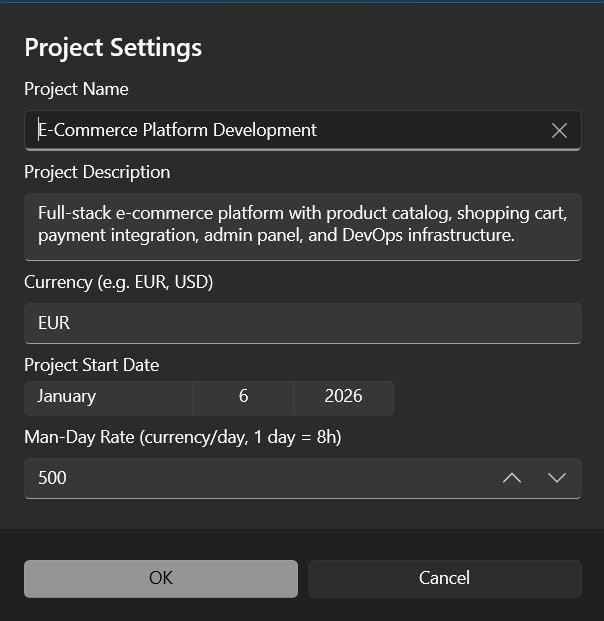
Set a man-day rate and currency. Asapi automatically computes estimated and actual costs across the entire task tree.

Time & Progress Tracking

Track estimated and actual time using natural duration format. A progress slider records partial completion with automatic roll-up to parent sections.

Dependency Management

Define task dependencies and visualize them in a graph. Circular dependencies are detected and flagged instantly.

Notes with Timestamps

Attach time-stamped notes to any task or section. Perfect for logging decisions, meeting outcomes, or keeping a project journal.

Excel Export

Export the full project to a formatted .xlsx workbook — tree structure, progress, time, costs, and notes included. Cost columns use live Excel formulas.

Custom Color Themes

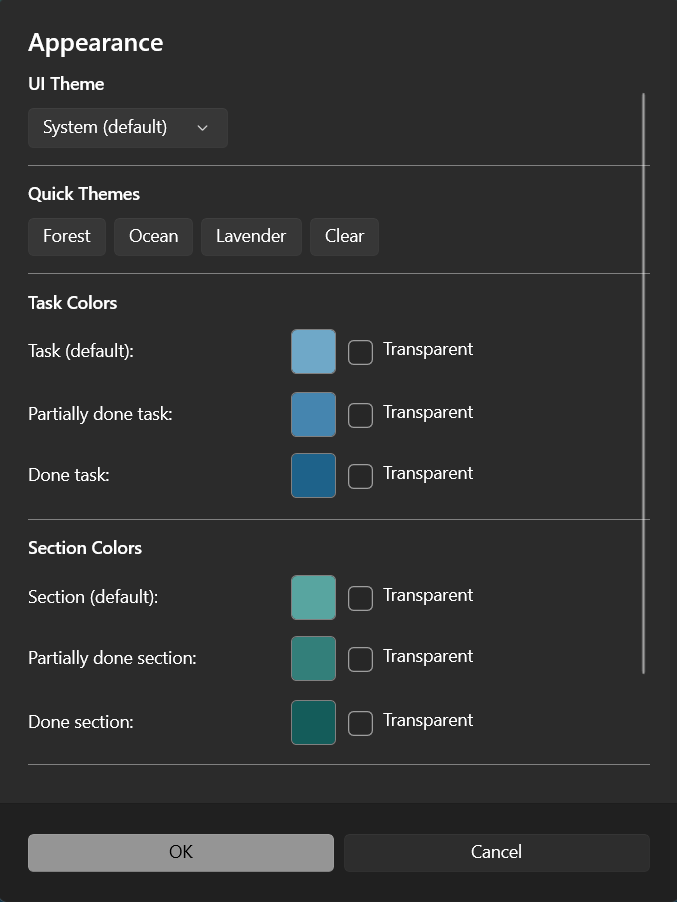
Choose from Forest, Ocean, or Lavender themes, or define your own colors. Full Light and Dark mode support.

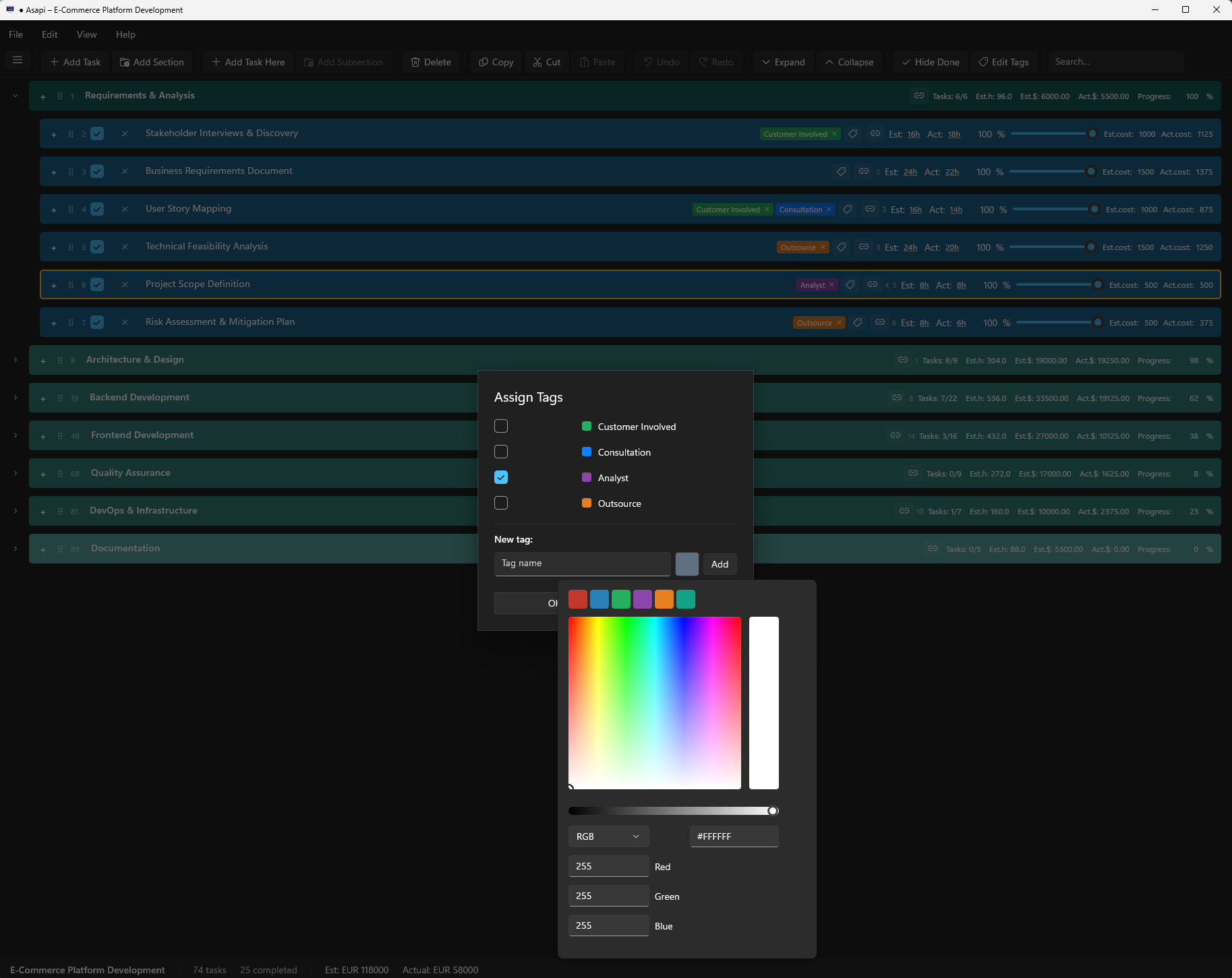
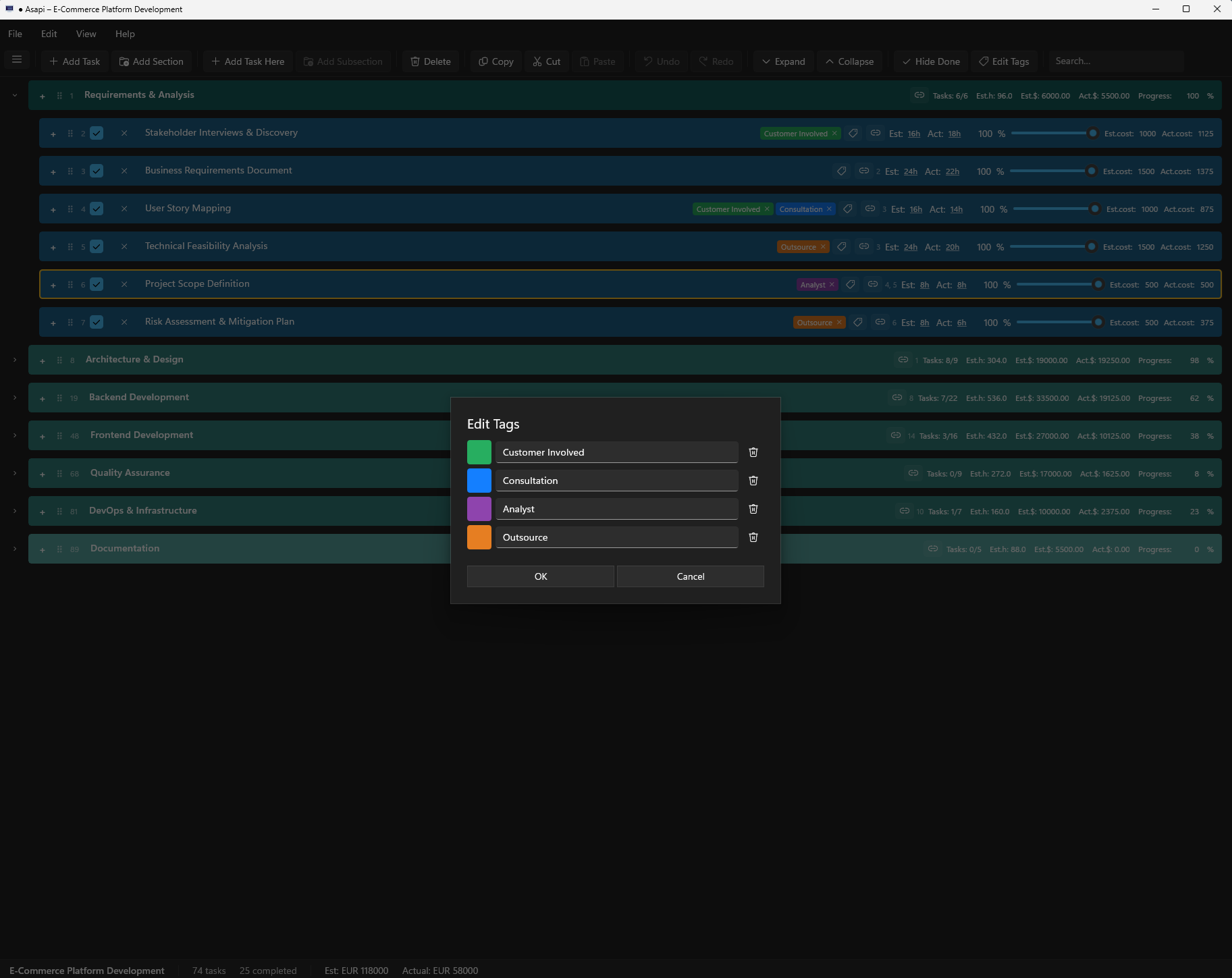
Tasks Tagging

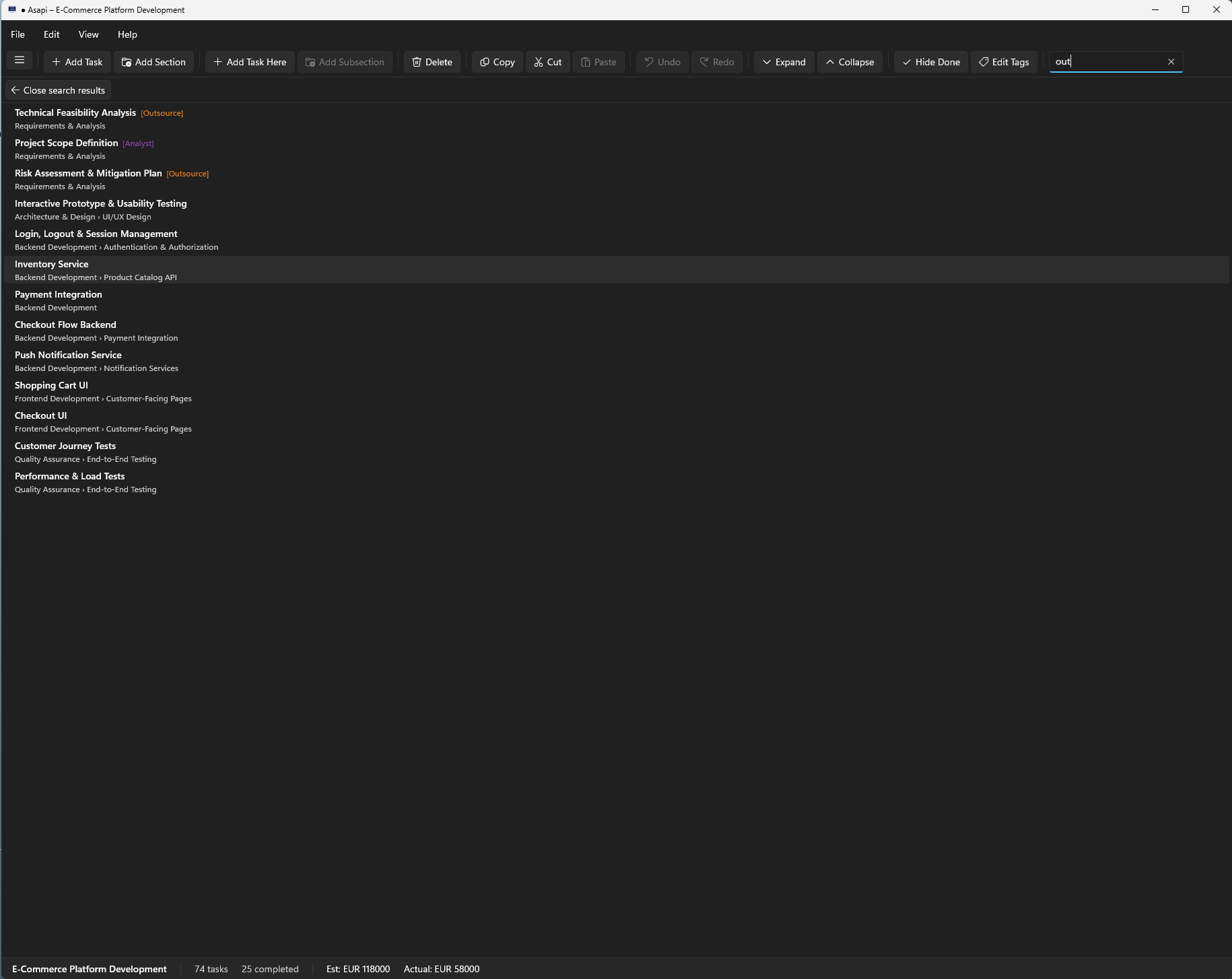
Add your own tags with custom names and colors. The search engine uses both task names and tags, so you can quickly filter and find tasks by their tags.

Fast Keyboard Workflow

Every common action has a keyboard shortcut. Add tasks, navigate, search, undo, export — all without reaching for the mouse.

Offline & Private

Projects are saved as .asapi files on your own machine. No accounts, no cloud sync, no subscriptions. Your data stays yours.

See Asapi in action

Click any screenshot to browse the gallery. Use arrow keys or buttons to navigate.

Expanded task tree view
Expanded task tree with progress tracking
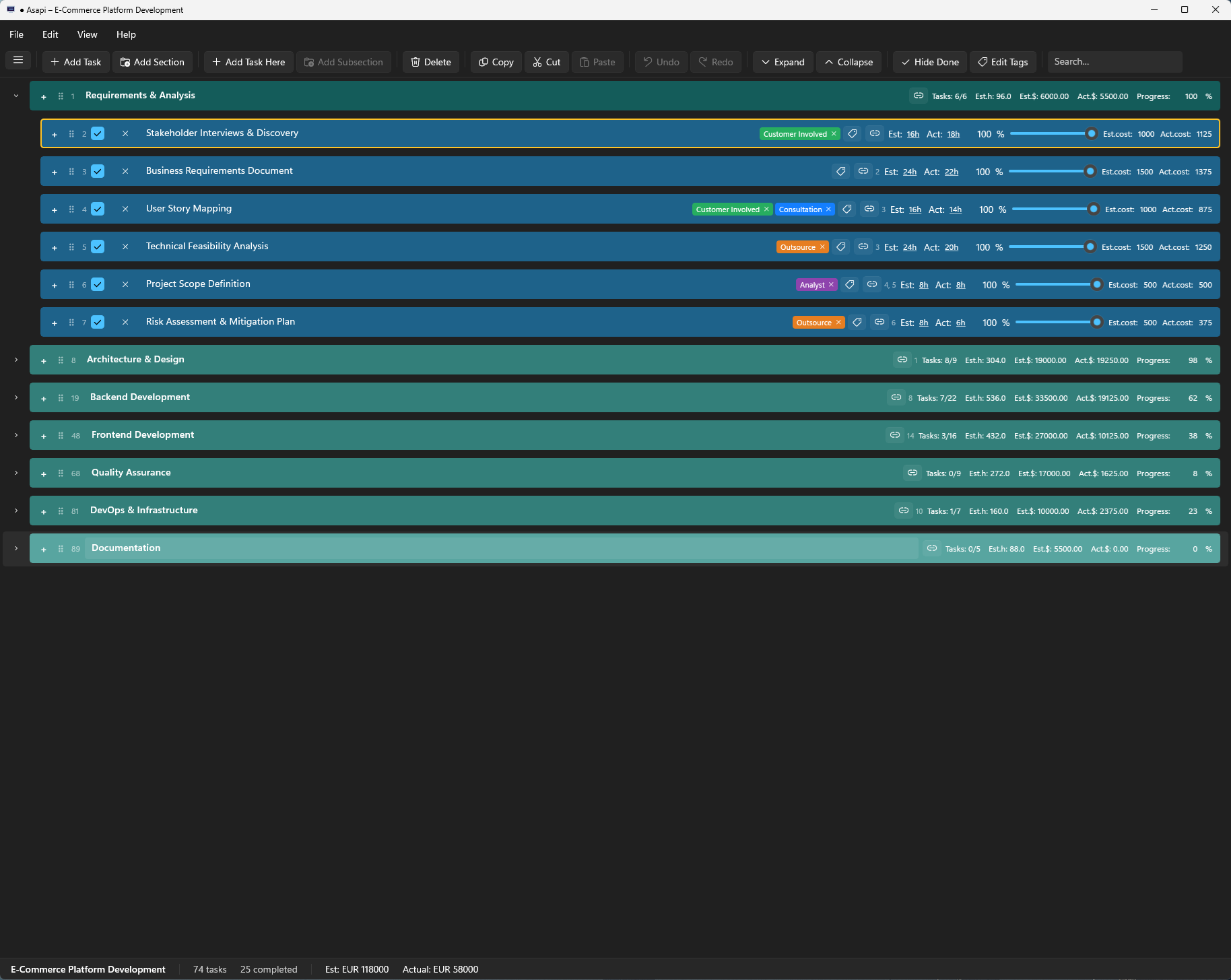
Collapsed project view
Collapsed view — top-level overview
Collapsed project sections
Collapsed sections with summary info
Task tagging
Task tagging with custom colors
Tag editor
Tag editor — create and manage tags
Search with tags
Search tasks by name or tag
Dependency graph
Visual dependency graph
Excel export
Excel export with live formulas
Color themes
Custom color themes
Project settings
Project settings — rate, currency, and more

Built for real work

Asapi adapts to how you think — whether you're managing a team or planning a personal project.

Project Planning

Break down a project into phases, tasks, and subtasks. Assign time estimates and track progress as work gets done.

Budget Estimation

Set your man-day rate, estimate effort per task, and instantly see total project cost — great for client proposals and invoicing.

Software Development

Model your backlog as a task tree. Use dependencies to capture blockers. Hide completed items to keep focus on what's left.

Structured Note-Taking

Use sections as topics and tasks as individual entries. Attach timestamped notes for a lightweight knowledge base or decision log.

Personal Productivity

Plan anything that benefits from structure: moving house, planning a trip, writing a book — any goal broken down into steps.

Freelance & Consulting

Estimate and track project costs accurately. Export to Excel for client-ready reports without manual number crunching.

Ready to get organized?

Download Asapi from the Microsoft Store and start planning your first project in minutes.

Get it on Microsoft Store